

Connect with one of our privacy experts to run this code.
Enabling and Disabling Object Entity Types
In file processing, Limina supports the detection of several object types including: license plates, logos, signatures and faces. See object entity types for a complete list. By default, all supported types are detected, but this can be easily customized using object entity selectors.Configuring Object Entity Selectors
Object entity selectors allow you to enable or disable specific entity types as part of your API request. For example, you can enable detection ofLOGO, LICENSE_PLATE and SIGNATURE while ignoring all other entity types by using the ENABLE selector as shown in this request:
For descriptions of the request fields, refer to the REST API documentation.
SIGNATURE in this case) untouched in the output file.

Input Image

Output Image
DISABLE selector:
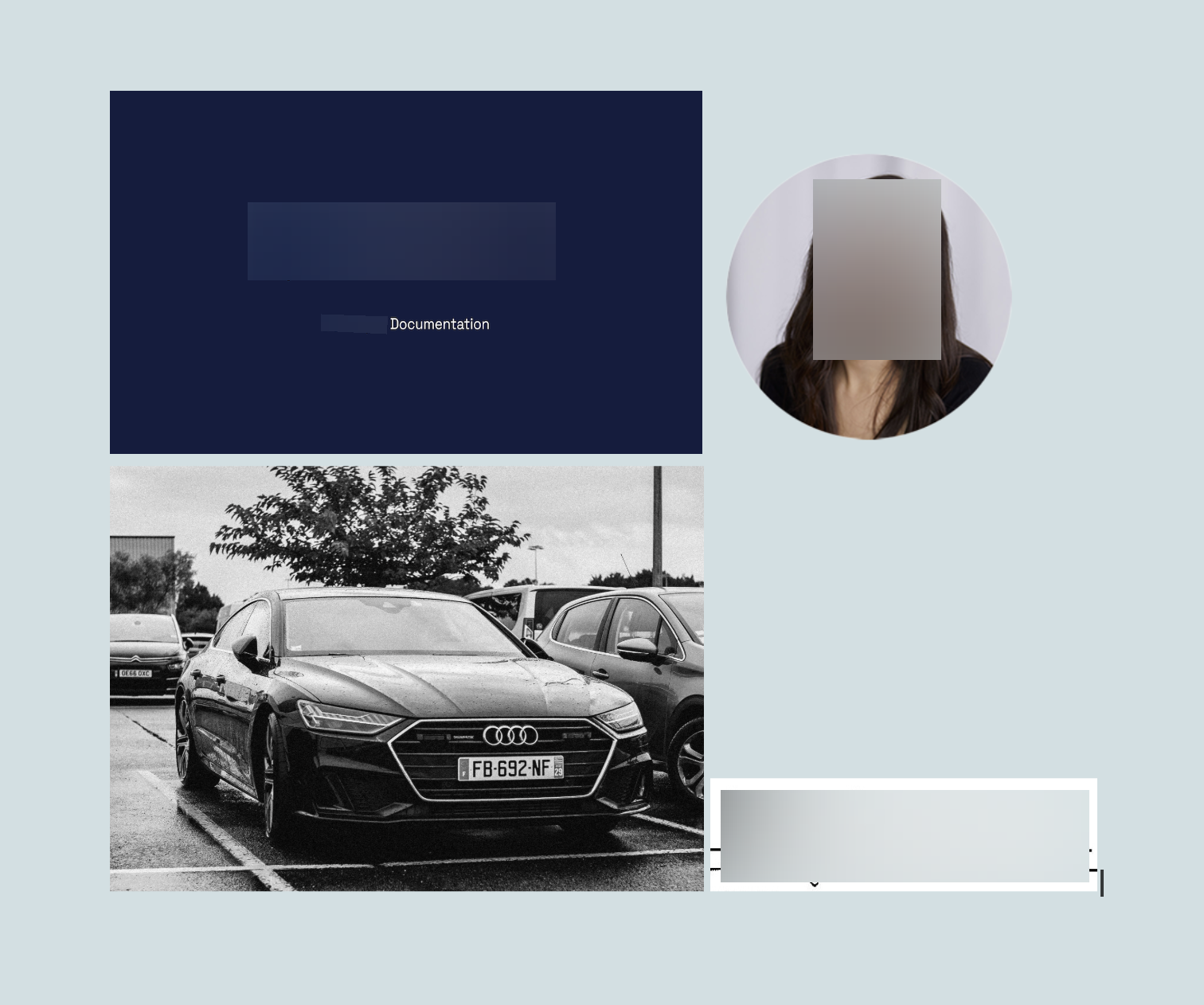
Output Image
Security Considerations
It is important to note that disabling object entities may increase the risk of sensitive information being leaked. When selecting object entities for redaction, take extra time to consider all potential implications. We recommend expert validation to ensure that the redacted content is free of PII or other sensitive information. Following validation, adjust the list of object entities as needed based on the findings.Object Detection and OCR interactionsIn some cases, even when specific object detection types like
LICENSE_PLATE, LOGO, or SIGNATURE are disabled, the associated text may still be redacted. This happens because the OCR identifies and processes the text within these objects, such as license numbers, readable text in logos, or legible parts of signatures.For example:- A license plate may be redacted because the license number is recognized as text.
- A logo with a company name may be redacted due to the company name being recognized as text.
- A handwritten signature may be partially or fully redacted if its characters are interpreted as text.